 Weeklo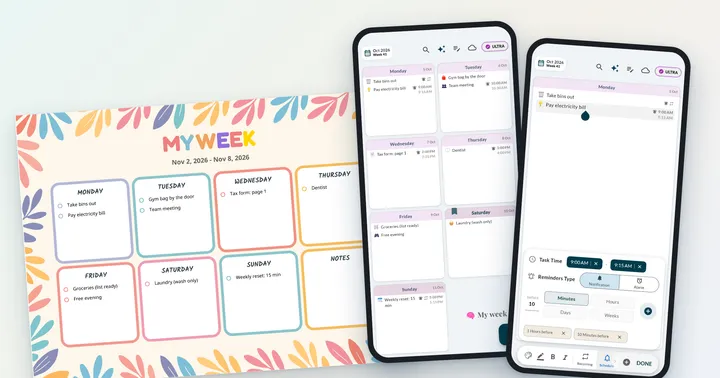
ADHD & Focus
Best Planners for ADHD Adults: Paper, Apps and a Visual Weekly Grid
Which ADHD planner for adults fits you? Compare paper pads, Notion setups, task apps and a visual weekly grid on friction, visibility and reminders.
Ultimate Weekly Planner App
Beautifully simple, yet powerful. Weeklo brings the tactile feel of a paper planner to your digital life, designed for those who need a focused visual weekly planner available seamlessly across iOS, Android, and the Web.


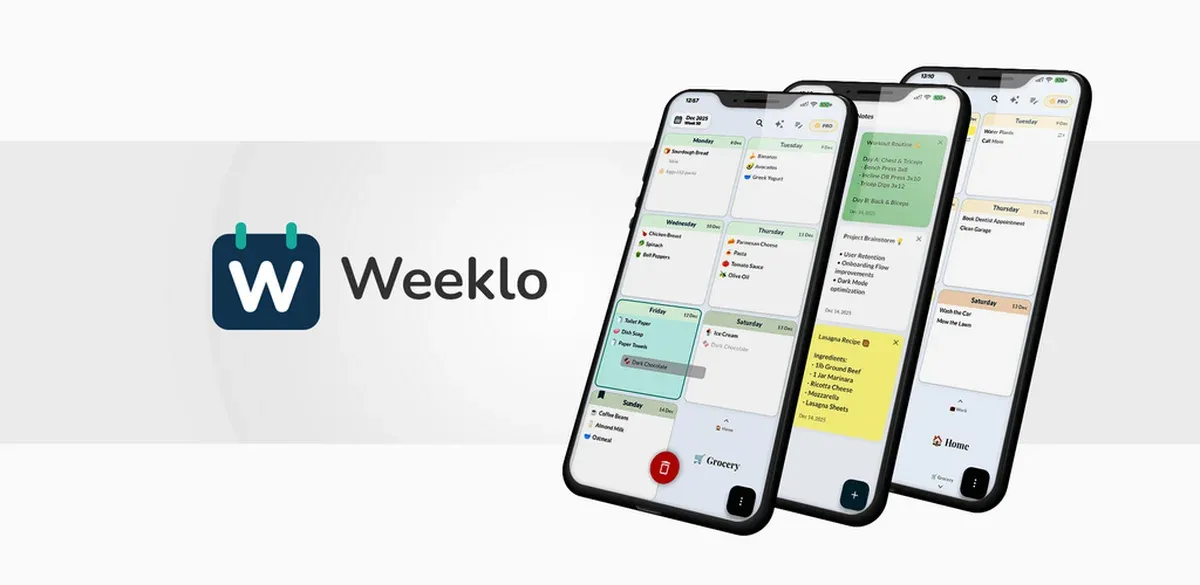
We believe planning shouldn't be a chore. Weeklo was built to combine the tactile joy of a physical weekly planner with the power of modern AI weekly planner technology.
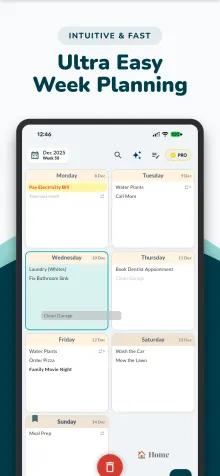
Standard to do list apps often lack visual structure. Weeklo’s minimal weekly planner view provides a clear weekly timetable that reduces mental load and helps with executive function.
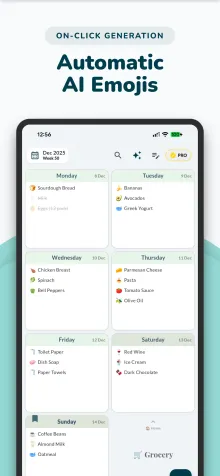
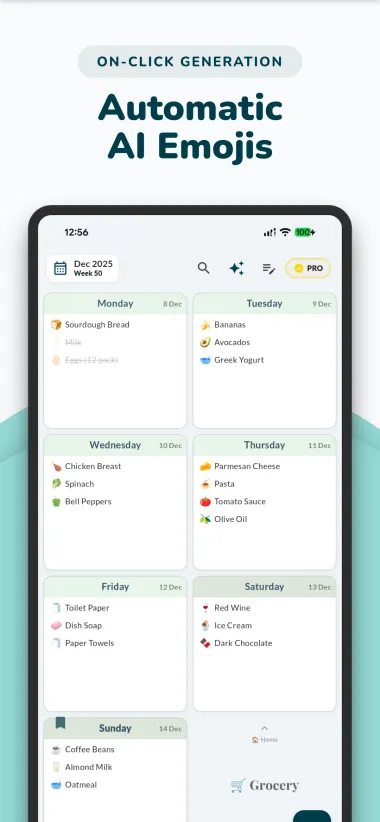
Our AI weekly planner auto-assigns emojis to your tasks and grocery lists. Cues like 🍎 or 🥛 allow for a quicker grasp and make scanning your day easier visually.
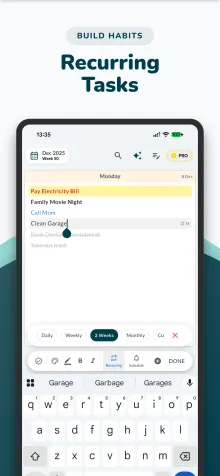
Set habits and routines effortlessly. Whether it’s a daily check-in, weekly meeting, or a bi-weekly bill, Weeklo handles complex recurring tasks. It’s the perfect weekly routine planner.
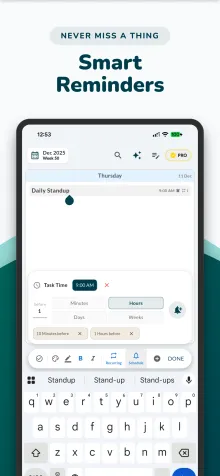
Stay productive with flexible weekly reminders. Set multiple notifications for your to-do list to ensure you never miss a deadline. Perfectly align your agenda planner.
Weeklo lets you create multiple personal planners. Build a dedicated work planner, and securely share it with colleagues or family for real-time collaboration across all devices.
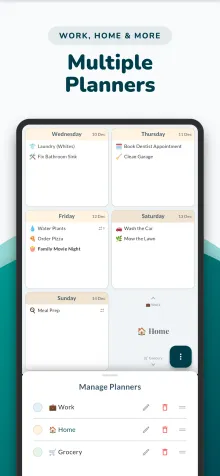
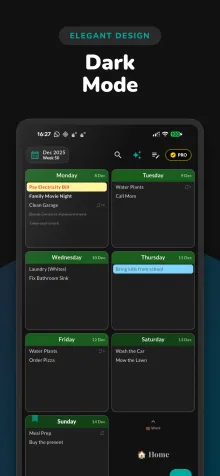
Choose your style. Whether you prefer a clean Light Mode or a sleek dark mode planner, Weeklo’s pastel palette ensures your weekly agenda looks beautiful and is easy on the eyes.
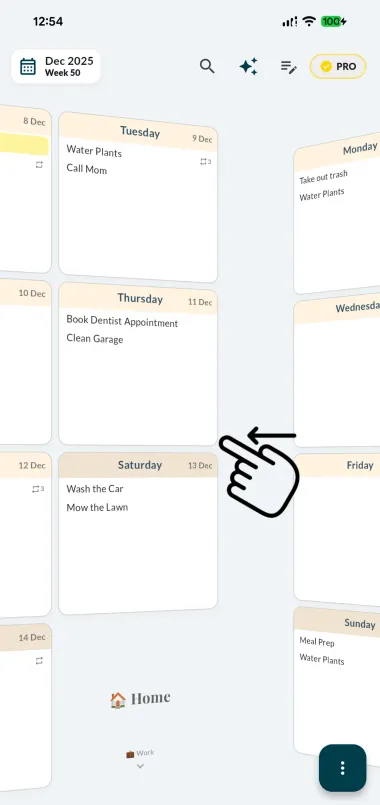
Experience the tactile feel of a paper planner with digital superpowers. Weeklo is designed to feel intuitive, letting you move through your life without complex menus.
Swipe Through Time: Flick left or right to see next week's weekly schedule with a satisfying 3D page-flip effect. It's the most natural way to view your week plan.
Switch Focus Instantly: Simply scroll up or down to jump between your different life areas. Move from your work planner to your personal diary or meal prep in one smooth motion.
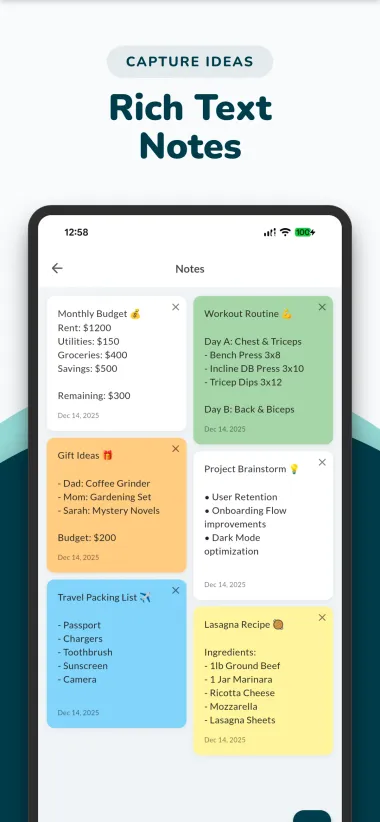
Productivity is about capturing ideas. Our notes planner supports full rich text styling, custom highlights, and pastel colors to make your digital diary truly yours.
Eliminate the stress of "what's for dinner?". Weeklo serves as a powerful meal planning app integrated directly with your schedule.
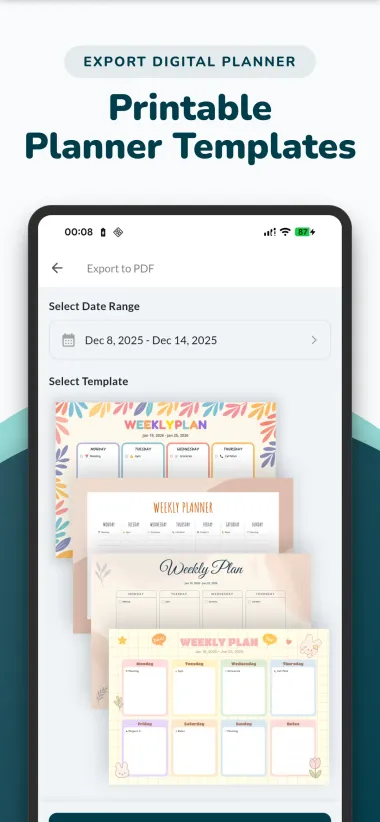
Sometimes, analog is better. We've built a powerful weekly planner template engine directly into the app, turning your device into a printable planner factory.
Stop searching for generic "free printable weekly planner" files. Weeklo transforms your actual digital data into a high-resolution weekly planner PDF instantly.
Perfect for 2027 planning, creating a physical archive, or simply enjoying the satisfaction of crossing tasks off on paper.
Real reviews from the Google Play and App Store pages.
“Best weekly planner!!! I've used many planners that didn't work well, but this one is perfect! I can see each day and the entire week at the same time, which makes it easy to figure out when I'll have time in the week to do something, and easy to move it if necessary. I can also easily narrow down to seeing just one day at a time. I'm getting more things done now with this app!!!”
“Simple, efficient, no frills. Overwhelm gone! This app is perfect for keeping daily to-do lists. Its simplicity is why it works for me.”
“Besides the iOS Notes app, this is the only planner I’ve been able to stick with without feeling overwhelmed. It’s practical, easy to manage, and doesn’t become messy or time-consuming like many other planning apps.”
“Best app EVER!!! I have searched a long time for a simple calendar that lets me input my to-do's or events without the fuss of adding time data, etc. I can move the event to a different day or week. It never glitches. … It also imports/exports and does cute AI pics next to the event. It has a repeat option too. I absolutely love it.”
“Top rating for its simplicity. it's the best weekly app I have used and I have used many.”
“It's surprisingly effective that we only see our week displayed, tap on the days to expand them, and that's it. We can also set tasks to be recurring, great for bill reminders.”
Practical guides for planning a calmer, more focused week.
Which ADHD planner for adults fits you? Compare paper pads, Notion setups, task apps and a visual weekly grid on friction, visibility and reminders.
Build a study schedule for exams with three worked weeks (8, 4 and 2 weeks out), a re-plan for falling behind and a free printable week page in A4 and Letter.
A weekly cleaning schedule with one zone a day and a 10-minute daily reset. Free printable PDF, a family chore chart and an ADHD-friendly version, no sign-up.
Weeklo stands out because it focuses on visual planning. Unlike list-heavy task managers, our grid-based weekly organizer view helps you understand your time spatially.
Use the AI weekly planner Magic Wand to provide immediate visual cues. The minimal weekly planner view prevents "choice paralysis" by showing only one week at a time.
Absolutely. Create a dedicated "Meals" planner for your meal prep and a "Grocery" planner with AI emojis to make shopping easier visually.
It’s excellent. Track your class weekly timetable and set weekly reminders for exams. It’s a simple weekly planner that grows with your needs.
Yes. Weeklo is free to use on the web, iPhone and Android, with unlimited tasks and no ads. Optional PRO and ULTRA upgrades add extra planners, recurring tasks, reminders, PDF export, AI emojis, cloud sync and shared planners.
Yes. Weeklo turns your real week into a printable weekly planner PDF in A4 size (landscape or portrait), with several templates such as Professional Minimalist, Week at a Glance, Bloom and Pastel Wonder.
From the makers of Weeklo
 Discover Phinsh – Creative Photo Collage Maker