Best Planners for ADHD Adults: Paper, Apps and a Visual Weekly Grid
Which ADHD planner for adults fits you? Compare paper pads, Notion setups, task apps and a visual weekly grid on friction, visibility and reminders.
Key takeaways
- The best ADHD planner for adults is the one you still open on a bad day. Judge every option on friction, a visible week and reminders outside your head.
- Paper pads are quick and always in sight but never remind you. Notion-style systems bend to your needs but cost setup time.
- Task apps usually remind you well, but a list can hide how full your week is. A visual weekly grid shows all seven days at once.
- Weeklo is one option in the last group: a visual weekly planner with real-time sync across web, iPhone and Android, drag and drop between days and weeks, AI emojis for quick scanning and printable PDF exports in a growing set of templates.
- A planner supports you; it is not treatment. For diagnosis or treatment, talk to a doctor.
In this article
The best ADHD planner for adults is the one you still open on a bad Wednesday. Planners come in four types: paper pads, Notion-style systems, task apps and a visual weekly grid. Judge each by three questions: how little effort it takes to add a task, whether you can see the whole week without hunting, and whether something outside your head reminds you.
We make Weeklo, a visual weekly planner, and it is one of the options below. Facts about other products come from their own websites, checked on 2026-10-10, and we have not tested them. This article shares planning ideas. It is not medical advice; for diagnosis or treatment, talk to a doctor or a qualified professional.
What an ADHD planner for adults has to do
CHADD describes executive function as the brain’s management system, and its lists include working memory, organizing, prioritizing and getting started on tasks. A planner asks you to use all of those. So the useful question is how much work a planner takes off you. We use four criteria:
- Low friction. Adding a task takes seconds, and setup does not take an evening. A planner that costs more effort than it saves ends up in a drawer.
- A visible week. If the plan lives in a closed notebook or an app you never open, it does not exist. You want seven days in one view, so you see what is coming without flipping pages.
- Reminders outside your head. Psychologist Ari Tuckman, writing for ADDitude, says people with ADHD need external cues because the internal sense of time is unreliable. He suggests visual timers, alarms, phone reminders and calendar entries.
- Easy restarts. Moving a missed task should take one drag or one line, not a rewrite. This one is our own view, not a finding from a source.
Four types of ADHD planner, compared
The ratings below are our judgement from how each type works. They are not test results.
| Criterion | Paper planner pad | Notion-style system | Task app |  Visual weekly grid Visual weekly grid |
|---|---|---|---|---|
| Example | Planner Pads | Notion | Todoist, Tiimo | Weeklo, a printed week |
| Friction | Low: pen and page | High to set up, then medium | Low to medium | Low |
| Whole week visible | Yes, on the weekly spread | Depends on how you build it | Often a list or a day timeline | Yes, seven days in one view |
| Reminders | None, add a timer or phone alarm | Depends on the setup | Usually built in, check each app | Yes, per task (Weeklo) |
| Easy to move a task | No, you rewrite it | Yes | Yes | Yes, drag it to another day or another week (Weeklo) |
| Sync across devices | None, one paper copy | Depends on the setup | Check each app | Real-time on web, iPhone and Android (Weeklo) |
| Visual cues | Your own colours and doodles | Depends on the setup | Varies by app | AI emojis give each task an icon (Weeklo) |
| Print the week | It is already on paper | Depends on the setup | Check each app | A4 PDF in designed templates, a growing set (Weeklo) |
| Main catch | You must carry it, and it never nudges you | Building the system becomes a task | A list can hide how full Thursday is | Plans weeks, not big projects |
1. Paper planner pads
The Planner Pads website describes spiral-bound and loose-leaf organizers with dated editions and a seven-day weekly view across two pages. Its layout has three tiers: categorize, prioritize and schedule.
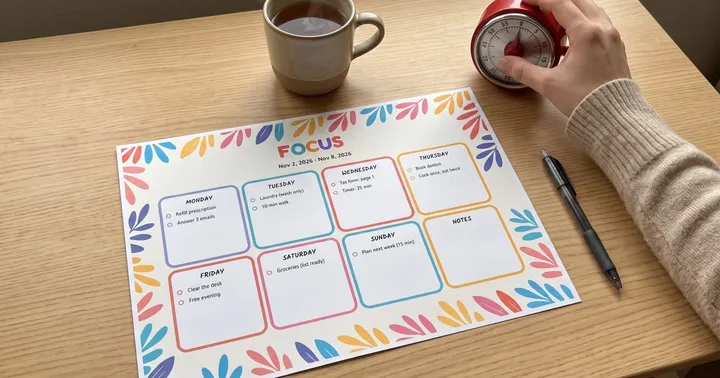
Paper wins on friction. Nothing needs charging, no notification competes with the plan, and an open page keeps the week in view on your desk. The costs are that paper cannot remind you, a missed task must be rewritten, and the planner is useless when it is in another room. Pair it with a kitchen timer or a phone alarm. If you want a page to start with, our free printable weekly planner comes in six designs.
Best for: people who like handwriting and have one fixed place for the planner.
2. Notion-style systems
Notion’s pricing page lists a Free plan for individuals with databases and Notion Calendar. Independent creators sell or share ADHD planner templates on notion.com, such as one titled “All-in-One ADHD Planner for Adults Template”. We did not check what it contains or what it costs.
The appeal is that you can build exactly the layout you want. The risk is that building and adjusting the system feels like planning, so you can spend a week on the dashboard and never use it. If you try one, copy a single template and use it unchanged for a few weeks before you customise anything.
Best for: people who enjoy building systems and already use Notion.
3. Task apps
Task apps typically send reminders and travel with you, which covers the third criterion. Two examples, from their own websites:
- Todoist lists a free plan with five personal projects and task reminders. Its pricing page puts calendar layout and custom task reminders under Pro.
- Tiimo calls itself a visual AI planner built by and for neurodivergent people and says it was built with ADHD and Autism in mind. It shows your schedule as a timeline, has a focus timer, and runs on iOS, iPadOS, Android and the web. It offers a free version and a Pro plan with a seven-day trial.
The usual catch is the view. A list sorted by project does not show that Thursday is stuffed and Friday is empty, and a notification is easy to swipe away without reading it. Set two reminders on important tasks so the first one does not carry the whole job.
Best for: people whose main problem is forgetting times and appointments.
4. A visual weekly grid
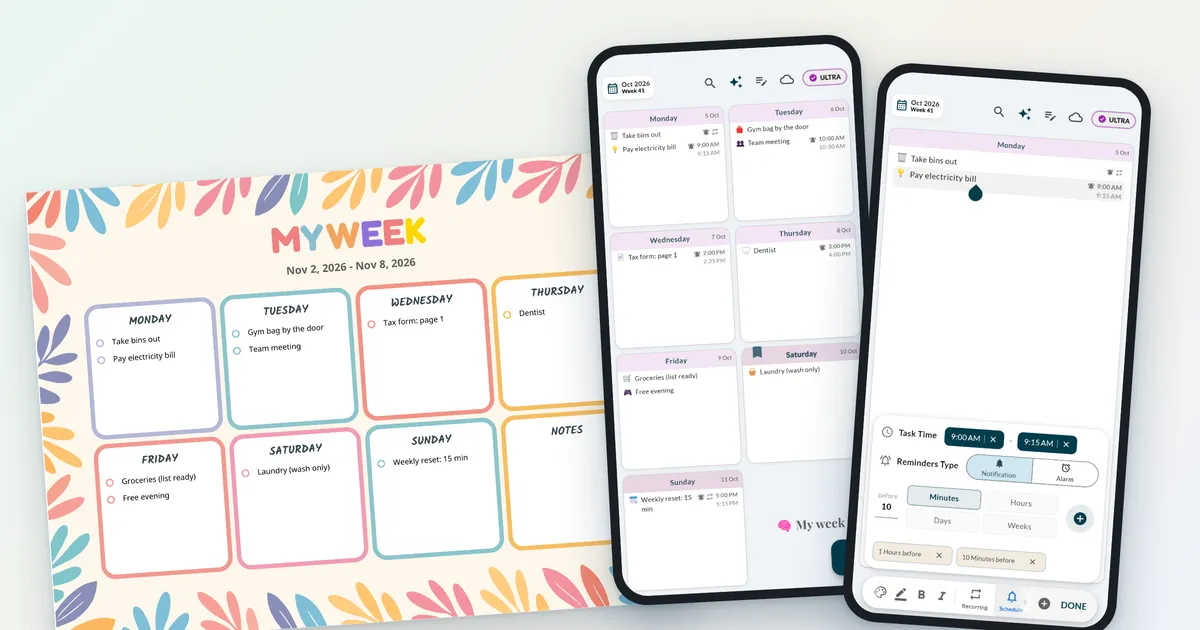
A visual weekly grid shows the week as a picture: seven day cards on one page or screen, with colour and icons instead of long lists. You scan it rather than read it. Our guide to the visual planner explains the building blocks. On paper this is a printable week page. In an app, it is a week view like the one below.

Weeklo as an option
Weeklo is a visual weekly planner for web, iPhone and Android. Here is how it does on the four criteria.
- Low friction. Tap the empty area of a day and type. Drag a task to another day, or hold it at the edge of the screen to move it to another week, in one gesture.
- A visible week. The week is a grid of day cards, with a swipe to the next week and a monthly overview. Home-screen widgets on iPhone and Android show the week without opening the app. AI emojis give each task a small icon, so a crowded week is quicker to scan.
- Reminders outside your head. Tap a task and its day opens enlarged. The Schedule button sets a start and end time and one or more reminders, such as one hour and ten minutes before, as a notification or an alarm.
- Routines. Recurring tasks, such as taking the bins out or a weekly reset, fill themselves in each week.
- Easy restarts. Moving an unfinished task to another day or another week is one drag, and completed tasks drop to the bottom of the day.
- Everywhere, in real time. Your planner syncs in real time across web, iPhone and Android, and you can share a planner with family or a partner.
- Print it. Export any week as an A4 PDF in designed templates, from minimal to colourful, and the set of templates keeps growing.

Good to know. Weeklo plans weeks rather than big projects. There are no sub-tasks, priorities or tags and no built-in focus timer, so write the first step as the task title, as in “Tax form: page 1”.
How to choose
- You already carry a notebook and like writing: a paper pad, plus a phone alarm for appointments.
- You like building systems: a Notion-style setup, copied from one template and left alone for a few weeks.
- You mostly forget times and appointments: a task app with strong reminders.
- You lose track of what the week looks like: a visual weekly grid on paper, in an app, or both.
- You have tried one and dropped it: pick a different type of planner.
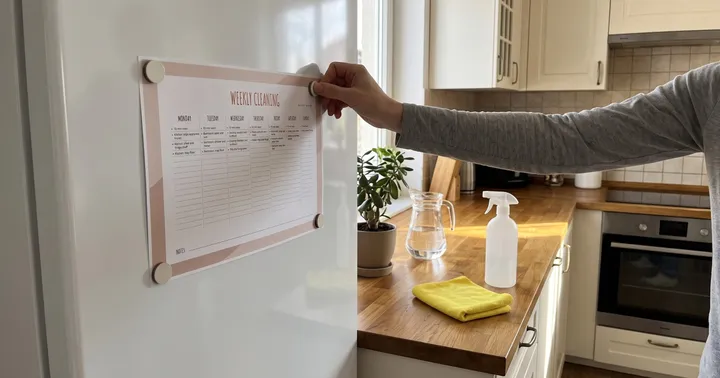
You can also combine two. In the photo below, the week is printed for the kitchen table and a similar week lives in an app that sends the reminders. The page keeps the week visible, and the phone does the nagging.


Whatever you pick, plan once a week
The planner matters less than the habit. Our guide to ADHD and planning walks through a 15-minute weekly reset, one main task a day, and rules for bad days, so we will not repeat it here. If you want a loose structure for the day itself, time block planning works with any of the four types when the blocks are big and flexible.
A planner supports your routine and does not treat ADHD. If planning problems affect your work, studies or relationships, ask a doctor or a qualified professional about an assessment. CHADD offers information and support groups, mostly for people in the US.
This week, pick one type, set it up in under 30 minutes and give it a few weeks before you judge it.
Frequently asked questions
What is the best planner for adults with ADHD?
There is no single best one. Pick the type you will actually look at every day: a paper pad if you like writing and keep it in one spot, a task app if you mostly need reminders, or a visual weekly grid if you need to see the whole week at a glance. We suggest trying one for about four weeks before you switch.
Are paper planners or apps better for ADHD?
Each solves a different problem. Paper stays in sight and needs no battery or login, but it cannot remind you. Apps send reminders and follow you around, but you have to open them. You can print the week for the fridge and keep an app for reminders.
What apps help adults with ADHD plan their week?
Todoist, Tiimo and Weeklo all work differently. Todoist offers list and board layouts, Tiimo shows your day as a timeline, and Weeklo shows seven days at once. Check which one makes your next task and your reminders easiest to see, and try the free version first.
What does Weeklo offer for weekly planning?
Weeklo shows seven days at once. You can drag tasks between days and to another week, add reminders and recurring routines, give tasks AI emojis, sync your planner in real time across web, iPhone and Android, and export the week as a printable PDF. You can start free with the weekly grid, drag and drop and unlimited tasks, and no ads.
Why do I keep abandoning planners?
In our view, the usual cause is a planner that costs more effort than it saves: too many sections, too much setup, or a rewrite after every missed day. Choose a small layout, put it where you see it, and decide in advance that a missed week means starting again from today.