 Weeklo
Weekly Cleaning Schedule: A Free Printable Plan for Any Home
A weekly cleaning schedule with one zone a day and a 10-minute daily reset. Free printable PDF, a family chore chart and an ADHD-friendly version, no sign-up.
Key takeaways
- Give each weekday one zone (kitchen, bathrooms, dusting, floors, bedrooms, laundry) and add a 10-minute reset every day for the small stuff.
- Each zone takes about 30 minutes. Sunday is a rest day with a 10-minute plan for next week.
- Free printable in A4 and US Letter: the ready-made plan, a blank version and a family chore chart. No email needed.
- Missed a day? Skip it or move it, never double up. The plan has a catch-up slot on Saturday.
- Recurring tasks in the Weeklo app are a PRO feature; the printable is free.
In this article
A weekly cleaning schedule works best when every weekday has one zone and every day starts with the same 10-minute reset. Kitchen on Monday, bathrooms on Tuesday, then dusting, floors, bedrooms and laundry, with Sunday nearly free. Each zone takes about 30 minutes, and you can print the whole plan for free below.
The plan fits on one page, so it works as a weekly cleaning checklist, a cleaning planner and, with a few changes, a chore chart for the family.
The weekly cleaning schedule: one zone a day
Cleaning feels endless when “the house” is the task. A zone is small enough to finish before dinner, and it tells you what to skip. On Tuesday, the kitchen can wait.
| Day | Zone | Time |
|---|---|---|
| Monday | Kitchen | 30 min |
| Tuesday | Bathrooms | 30 min |
| Wednesday | Dusting and living room | 25 min |
| Thursday | Floors | 30 min |
| Friday | Bedrooms | 30 min |
| Saturday | Laundry and catch-up | 30 min |
| Sunday | Rest, plus a plan for next week | 10 min |
Dusting comes before floors on purpose, because dust falls and the vacuum then picks it up. Every day, Sunday included, also gets the 10-minute reset below. The times are our own targets, so if you finish early, stop.
The 10-minute daily reset
The reset covers the jobs that make a home look messy within a day. Set a timer, work down this list and stop when it rings:
- Make the beds.
- Put the dishes in the dishwasher or wash them, and wipe the kitchen counters.
- Put things that live in another room into a basket and carry it there.
- Sweep or vacuum only the spots that need it.
- Empty the bins that are full.
Ten minutes will not finish every item every day, and that is fine. The reset keeps each weekly zone from starting at zero.

Weekly cleaning checklist: what “done” means for each zone
Short checklists stop a zone from turning into a two-hour project. Each list below is the whole job.
- Kitchen (Monday): wipe the fronts of the fridge, oven, dishwasher and microwave; clear one fridge shelf, throw out what has gone off and wipe the shelf; wipe cupboard handles; mop the floor.
- Bathrooms (Tuesday): toilet (bowl, seat, base), sink and taps, mirror, shower or bath, mop the floor, swap the towels, restock toilet paper.
- Dusting and living room (Wednesday): dust from top to bottom (shelves, frames, TV stand), wipe door handles and light switches, wipe tables, plump the cushions and clear the clutter basket.
- Floors (Thursday): vacuum every room including rug edges, mop the hard floors, shake out the doormats.
- Bedrooms (Friday): change the bed sheets, vacuum under the beds, empty the bedroom bins, wipe the bedside tables.
- Laundry and catch-up (Saturday): wash the towels, run one more load, then finish anything that slipped during the week.
- Sunday: the reset, then ten minutes to look at next week and move a zone if you have guests or a trip.
One deeper job a month
Real homes also need the occasional bigger job. Put one in the Saturday catch-up slot and rotate:
| Saturday of the month | Extra job |
|---|---|
| 1st | Inside of the oven and microwave |
| 2nd | Windows and mirrors |
| 3rd | Curtains or cushion covers, and vacuuming the mattress |
| 4th | Washing machine drum, dishwasher filter and skirting boards |
This rotation is our suggestion, not a rule. Swap in whatever your home needs, such as a balcony or a wardrobe.
Free printable weekly cleaning schedule (PDF)
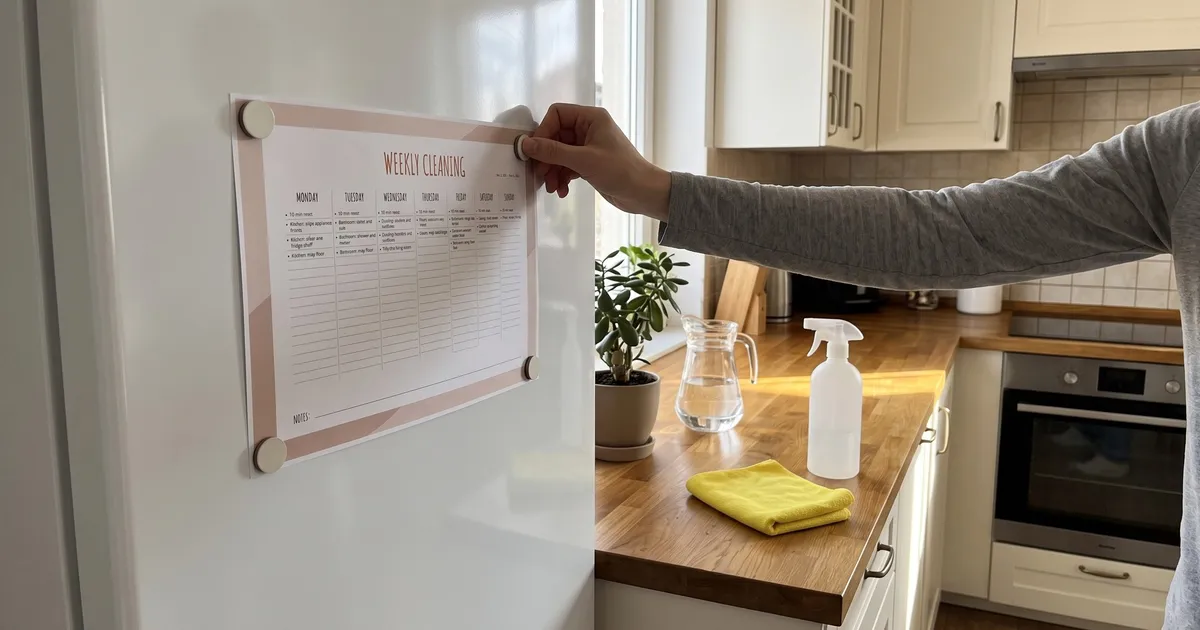
The printable uses the Weeklo “Weekly Vertical” template, with a lined column for every day. The filled version has the plan above written in, and the empty lines underneath leave room for your own tasks. The blank version has the same layout with empty columns.


| File | A4 | US Letter |
|---|---|---|
| Filled schedule, one sample week (2–8 Nov 2026) | ||
| Filled schedule, Nov–Dec 2026 (9 weeks) | ||
| Filled schedule, 2027 (53 weeks) | ||
| Blank cleaning planner, one sample week | ||
| Blank cleaning planner, Nov–Dec 2026 | ||
| Blank cleaning planner, 2027 |
Free for personal use, no email, no account. The pages are dated Monday to Sunday, and the 2027 file runs from Monday 28 December 2026 to Sunday 2 January 2028. They are made for printing and are not fillable forms.

The Weeklo app exports A4 pages. We made the US Letter files ourselves from the same template, so the margins are even on both paper sizes. Print landscape at 100% scale (“Actual size”), and print only the weeks you need, because the 2027 file has 53 pages.
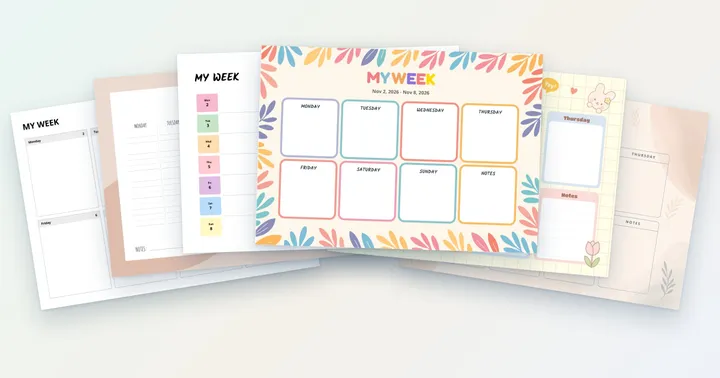
Want a different look? The same dates come in five more designs in our printable weekly planner collection.
Weekly chore chart: a family version
A chore chart is the same schedule with names on it. Instead of one person doing every zone, each chore starts with who does it.

How to set it up:
- Write the name first. “Sam: feed the pet” reads faster than a column per person, and it works on paper and in an app.
- Give young children one small job a day. Five minutes at the same time each day, such as setting the table or watering the plants.
- Give the zone jobs to the adults, or to teenagers, and keep the 10-minute reset a shared job.
- Rotate every week or two. Move each name down one row so the bathroom does not belong to one person forever.
- Hold a five-minute meeting on Sunday to see what worked and who needs a lighter week.
The same chart works as a weekly chore chart for adults who share a flat. Replace “Kid 1” and “Kid 2” with housemates’ names and give each person a zone.
| File | A4 | US Letter |
|---|---|---|
| Family chore chart, one sample week | ||
| Family chore chart, Nov–Dec 2026 | ||
| Family chore chart, 2027 |
The names on the printable are placeholders. Write your own over them, or use the blank cleaning planner above and add names to the lines. The Bloom design uses more ink than the lined one, and its 2027 file is about 1.7 MB.
A weekly cleaning planner for ADHD
Cleaning is where a plan that looks fine on paper often falls over. The task is vague, it has no end and it competes with everything else. A few changes help.
- One zone, one day. Do not look at the rest of the week. On Wednesday, the only job is dusting.
- Write the first step. “Clear one fridge shelf” is easier to start than “clean the kitchen”, and it has a finish line.
- Use a timer for the reset. Ten minutes on a phone timer turns an open-ended job into a short one. When it rings, you are allowed to stop.
- Decide the minimum day in advance. On a bad day, the reset alone counts as done.
- Keep the plan in sight. The printed page on the fridge and the same plan as repeating tasks (PRO) on your phone both work, and a reminder (PRO) does some of the remembering.
Our guide to ADHD and planning covers the rest of the weekly system, including how to restart after a missed week.
How to make the schedule in Weeklo
Printing is quick, but a recurring plan in a planner app saves you from writing it out again each week. Repeating tasks and times are PRO features in Weeklo.
- Create a planner for the house and add an emoji to its name, such as “🏠 Home”. Several planners need PRO; the free plan has one.
- Add each zone on its weekday and set it to repeat Weekly (PRO), so Monday is Kitchen every week.
- Add the 10-minute reset once and set it to repeat Daily (PRO).
- Give the tasks a start and end time (PRO), for example 6:00 PM to 6:10 PM for the reset. Weeklo shows the times at the right of each task and sorts the day by start time. Add a reminder (also PRO) if you want your phone to start the reset for you.
- Mark tasks complete from the editing toolbar. Completed tasks drop to the bottom of the day.


If a zone gets skipped, drag the task to another day, which is free. Deleting a repeating task asks whether you want to remove this one, this and the following ones, or all of them.
When you want the week on paper, export the planner as a PDF in any of the six templates (also PRO), or print the free files above.
A family chore chart in the app
The family version works the same way: one planner, with the person’s name at the start of each task. With ULTRA you can also share a planner with other people.


Make the schedule fit your week
The plan is a starting point. Change it when your week changes.
| If this is you | Change this |
|---|---|
| You work all week | Move a heavy zone to the weekend and keep weekdays to the reset plus one 15-minute task |
| You live in a small flat | Merge two zones into one day, for example bathrooms and floors |
| You have a big household | Split a zone in two and give each half to a different person |
| You miss a day | Skip it. Never do two zones in one day to catch up |
| You have guests on Friday | Swap Thursday and Friday for the week |
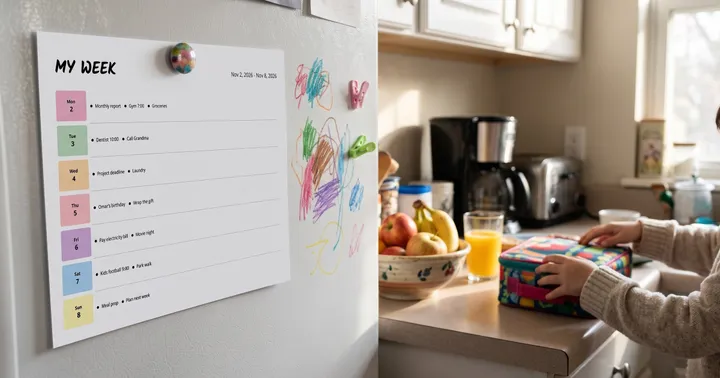
Planning around your own calendar is the same skill as planning any week, which starts with fixed appointments and then fills in the flexible jobs. If you like seeing the whole week as pictures, the visual planner guide shows how emojis and colours make a fridge page easy for everyone to read, and the week at a glance layout works if you prefer one row per day.
Print the filled sample week, put it on the fridge this Sunday and start Monday with the kitchen.
Frequently asked questions
How do I make a weekly cleaning schedule?
List the rooms and jobs in your home, group them into five or six zones such as kitchen, bathrooms, floors and bedrooms, and give each zone its own weekday. Add a 10-minute daily reset for dishes, beds and counters, and leave one day empty. Keep each zone to about 30 minutes so the plan survives a busy week.
What should be on a weekly cleaning checklist?
A weekly checklist covers the jobs that do not need doing every day: cleaning the toilet, shower and mirrors, vacuuming and mopping, dusting, changing the bed sheets, washing towels and wiping appliance fronts. Daily jobs such as dishes, making beds and wiping counters belong in a separate 10-minute reset.
How long should weekly cleaning take?
In this plan, about 30 minutes a day plus a 10-minute reset, so around four hours a week. A small flat will be quicker and a large family home slower. If a zone keeps running past 45 minutes, split it across two days instead of pushing through.
How do I make a weekly cleaning schedule with ADHD?
Keep the plan small: one zone a day, a 10-minute reset you can start with a phone timer, and tasks written as first steps such as "clear one fridge shelf". Put the schedule where you see it, on the fridge or as repeating tasks with a reminder (PRO), and decide in advance that a skipped day is simply skipped.
How do I set up a weekly chore chart for a family?
Write the name of each person at the start of their chore, keep younger children to one five-minute job a day, and give adults the zone jobs. Rotate the chores every week or two so nobody gets stuck with the bathroom. A five-minute family meeting on Sunday keeps the chart current.