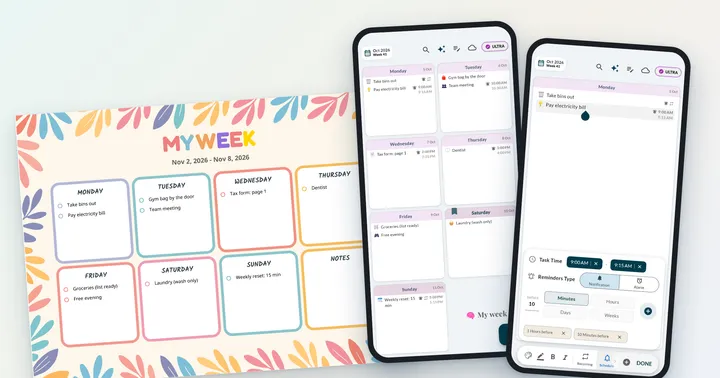
 Weeklo
ADHD and Planning: A Weekly System That Works
ADHD and planning, explained simply: why plans fall apart, and a low-friction weekly system with one main task a day, a visible week and easy restarts.
Key takeaways
- Planning with ADHD gets easier when the plan is short, visible and easy to restart.
- Plan once a week in a 15-minute reset with a timer, then choose one main thing per day.
- Shrink every task to a first step you could start in two minutes.
- Keep the week where you see it (fridge, home screen) and let reminders do the remembering.
- A missed day or week is normal. Restart from today, not from where you fell off.
In this article
ADHD and planning can work together when the plan is short, visible and easy to restart: one 15-minute planning session a week, one main task per day, and reminders that live outside your head. This guide explains in plain words why planning tends to fall apart with ADHD, then gives you a weekly system built around those problems, with an example week and printable pages.
This article shares practical planning strategies. It is not medical advice. For diagnosis or treatment, talk to a doctor or a qualified professional.
Why planning is hard with ADHD
Most planning advice assumes you can hold a plan in mind, feel a deadline coming and start a task when you decide to. ADHD makes each of those harder.
- Executive function. CHADD describes executive functions as the brain skills that organize and manage other skills: working memory, organizing and prioritizing, getting started on tasks, and keeping effort going. These are exactly the skills a planner asks you to use.
- Time blindness. Psychologist Ari Tuckman, writing for ADDitude, explains that people with ADHD often only feel a deadline when it is very close. Next Friday doesn’t feel real on Monday.
- Out of sight, out of mind. If the plan is in a closed notebook or an app you don’t open, it may as well not exist. Tuckman’s main advice is to move time outside your head, with clocks, visual timers, alarms, reminders and calendars.
The National Institute of Mental Health lists trouble staying organized and finishing tasks among the common signs of ADHD, and notes that they can continue into adulthood. So if planning has never “stuck” for you, it doesn’t mean you aren’t trying hard enough. A system that does more of the remembering for you is a better place to start.
A weekly planning system for ADHD
The system below has seven parts. Start with the first three; add the rest once those feel normal.
1. A 15-minute weekly reset
Pick one fixed time, like Sunday after lunch, and set a timer for 15 minutes. When it rings, you’re done, even if the plan isn’t perfect.
- Brain dump (5 min). Write everything on your mind on one sheet: tasks, appointments, worries, ideas.
- Circle three (3 min). Which three things would make this week feel OK? Circle them.
- Place them (5 min). Give each circled task its own day. Add appointments and routines.
- Make it visible (2 min). Print or open the week where you’ll see it tomorrow morning.
2. One main thing per day
A long list makes it hard to pick a starting point. Plan one main task per day, plus at most one or two small ones. If you finish early, pull the next task forward. That feels much better than ending the day with eight things undone.
3. Make the week visible
Put the week where your eyes already go: a printed page on the fridge, the bathroom mirror or next to your laptop, or a home-screen widget on your phone. A layout that shows all seven days at once works better than daily pages, because you can see what’s coming without flipping. Our visual planner guide shows how colours and icons make a week faster to read.
4. Shrink every task to a first step
“Do taxes” is hard to start. “Tax form: page 1” or “Find last year’s tax letter” is a two-minute job. Write the first step in the planner, not the whole project. For many people, continuing is easier once they’ve started.
5. Put routines on repeat
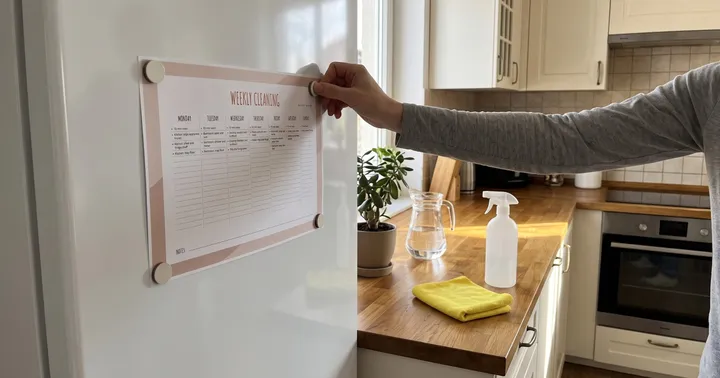
Anything that happens every week (laundry, groceries, bins, medication refills, the weekly reset itself) should not need planning again. Write a standing list once and copy it onto each new page, or use recurring tasks in an app so the week starts pre-filled. Housework is a good first routine to automate: our weekly cleaning schedule gives each day one small zone plus a 10-minute reset.
6. Reminders outside your head
Hand time to tools, as Tuckman suggests. Our suggestions: a visual timer for a 25-minute work burst, an alarm 10 minutes before you need to leave, a phone reminder the evening before an appointment and another one an hour before. Two reminders are better than one when the first gets dismissed on autopilot.

7. Plan for bad days
Some days will go sideways. Decide in advance:
- A minimum day: the one task that counts as “done” on a rough day (for example, answer one email).
- The move rule: unfinished tasks move to a lighter day. No guilt, no rewriting the whole plan.
- The restart rule: after a missed week, start from today with a fresh 15-minute reset. Don’t try to catch up on the old plan first.
Example: an ADHD-friendly week
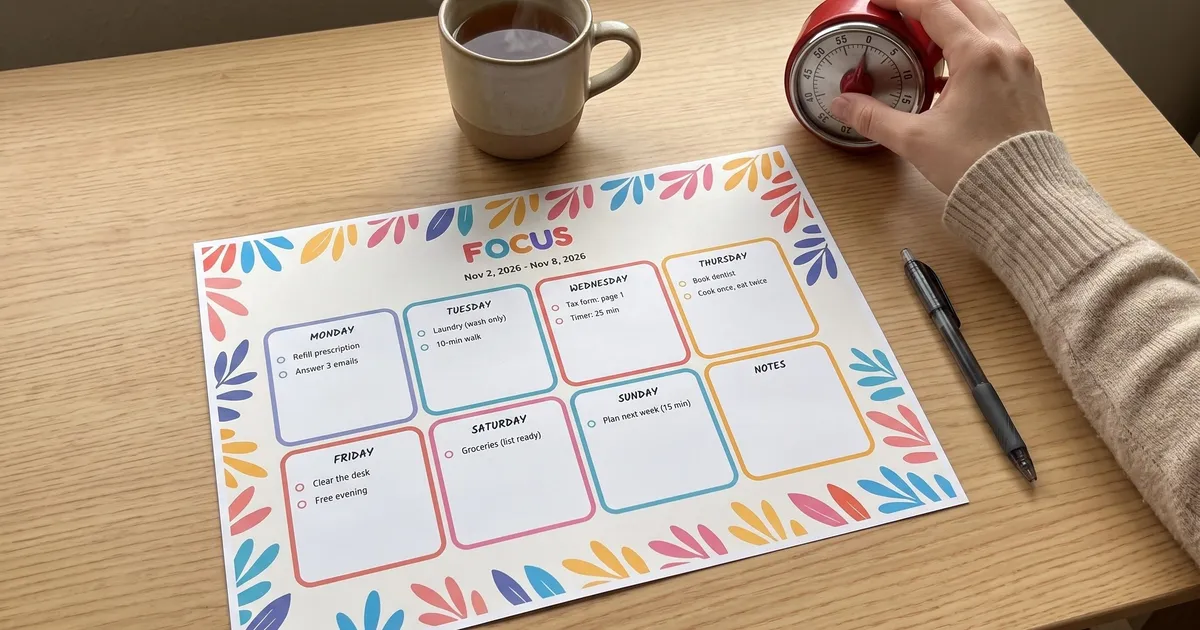
Here’s what a week built with this system can look like. Every day has one or two small, specific tasks. The weekend has almost nothing, and Sunday holds the next weekly reset.

A few details that make it work:
- “Laundry (wash only)” is half a chore on purpose. Folding can be tomorrow’s task.
- “Tax form: page 1” turns a dreaded project into a first step, paired with a 25-minute timer.
- “Cook once, eat twice” on Thursday means Friday’s dinner is already made.
- “Free evening” is planned too. Rest that’s on the plan doesn’t feel like slacking.
- “Groceries (list ready)” means the list was written earlier in the week.
ADHD planning tools: paper, app or both
There’s no single best ADHD planner. Some people need the physical page; others lose paper and live on their phones. Many combine both. For a fuller comparison of paper pads, Notion-style systems, task apps and a visual weekly grid, see our guide to the best planners for ADHD adults.
| Printed weekly page | Planner app | |
|---|---|---|
| Always visible | ✓ on the fridge or desk | ✓ widget on the home screen |
| Reminds you | – | ✓ notifications (PRO in Weeklo) |
| Moving a task | Cross out and rewrite | Drag & drop |
| Repeating routines | Copy by hand | Recurring tasks (PRO in Weeklo) |
| Satisfying to tick off | ✓ pen on paper | ✓ checkbox |
For paper, our free printable weekly planner comes in six designs. The colourful Bloom design below has only seven boxes and a notes box, which nudges you towards short daily lists.

In the Weeklo app, the whole week is one screen of day cards. On the free plan you can add unlimited tasks and drag them between days. PRO adds recurring tasks, time and smart reminders with several reminders per task, and AI emojis that put an icon next to each task. Weeklo also has home-screen widgets on iPhone and Android, so the week stays visible without opening the app.
If you like structure, time block planning can help too; keep the blocks big and loose. And the general routine in how to plan your week works with ADHD if you shrink each step.
When to get extra support
A planner can only do so much. If planning problems affect your work, studies or relationships, extra support can help:
- A doctor or psychiatrist for assessment and to discuss treatment options.
- A therapist who works with adult ADHD; NIMH notes that care often combines medication with approaches such as psychotherapy.
- An ADHD coach for practical accountability while you build routines.
- CHADD for information, support groups and a directory of professionals (US-based).
Start small this week: one 15-minute reset, one main thing per day, and the week where you can see it.
Frequently asked questions
Why is planning so hard with ADHD?
ADHD affects executive functions such as working memory, organizing, prioritizing and getting started on tasks, according to CHADD. Many people also describe "time blindness": deadlines feel far away until they are suddenly close. A plan that lives only in your head, or in a notebook you never open, is easy to lose.
How do you use a planner with ADHD?
Keep it small and visible. Plan once a week, write only one to three tasks per day, put the planner where you will see it without trying, and pair it with reminders. When the plan breaks, move the tasks forward instead of starting a new planner.
Does time blocking help with ADHD?
Some people with ADHD find loose time blocks helpful because they turn "sometime this week" into a specific slot. Strict minute-by-minute schedules often break quickly, so use a few big blocks with buffer time and timers that tell you when a block starts.
What is the best planner for ADHD?
The best ADHD planner is the one you actually look at every day. Look for a layout that shows the whole week at once, has room for only a few tasks per day, and either sits where you see it (paper on the fridge) or reminds you (an app with notifications).
How do I plan my week with ADHD?
Set a 15-minute timer once a week. Empty your head onto paper, circle three things that matter most, give each its own day, add appointments and routines, and leave the rest of the week light. Then put the week somewhere visible.