 Weeklo
Free Printable Weekly Planner (PDF, A4 and Letter)
Download a free printable weekly planner in 6 designs, A4 or US Letter, dated for Nov–Dec 2026 or all of 2027. Direct PDF links, no email or sign-up.
Key takeaways
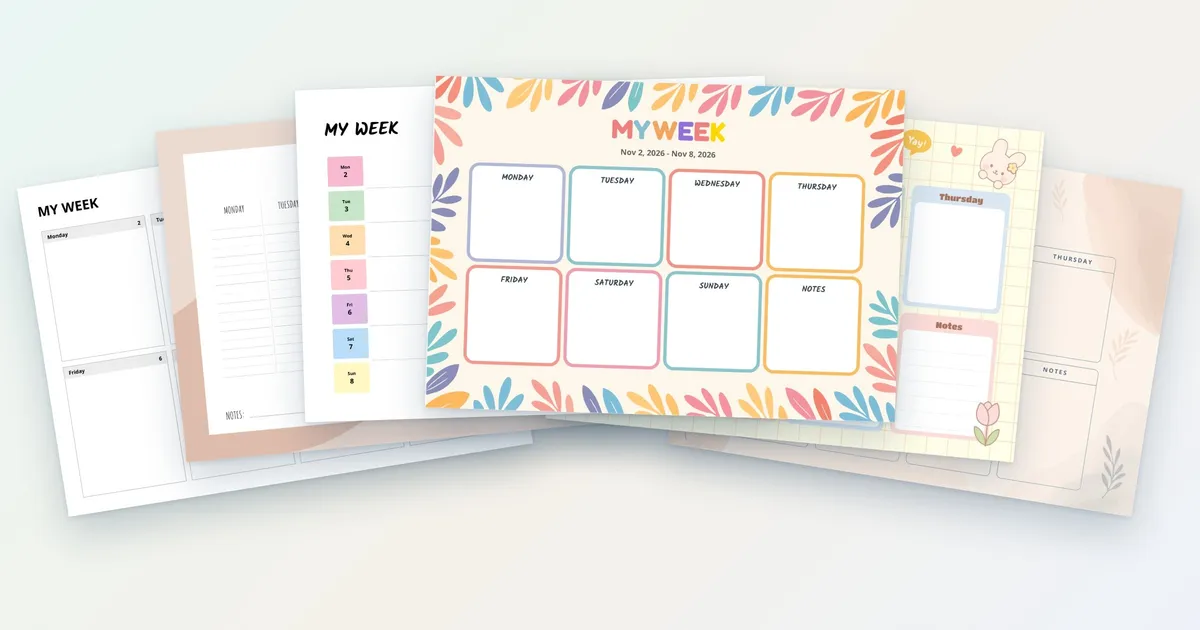
- Six designs, all from the Weeklo app templates: Minimalist, Vertical, Week at a Glance, Bloom, Pastel and Elegant.
- Every design in A4 and US Letter, landscape, one week per page.
- Dated files for Nov–Dec 2026 (9 weeks) and 2027 (53 weeks), plus a one-week sample.
- Direct PDF links, no email, free for personal use.
In this article
- Download the free printable weekly planner (PDF)
- Which weekly planner template should you choose?
- Hourly weekly planner: using these pages for time slots
- Weekly calendar template: week on one page
- How to print your weekly planner pages
- How to use a printable weekly planner
- Print the week you planned in the app
Pick a design below and download your free printable weekly planner as a PDF: six layouts, each in A4 and US Letter, dated for November–December 2026 or all of 2027. No email, no sign-up. Each page holds one week, Monday to Sunday, in landscape.
All six designs are the real PDF templates from the Weeklo planner app. The app exports A4; we produced the US Letter versions with the same templates for readers in the US and Canada.
Download the free printable weekly planner (PDF)
Each design has three files: a one-week sample (2–8 November 2026), the rest of 2026 (9 weeks from 2 November) and the whole of 2027 (53 weeks, from Monday 28 December 2026 to Sunday 2 January 2028, so 1 January and 31 December are both included).
1. Minimalist
Seven boxes and a notes box in plain black and grey. Prints cleanly on any printer and leaves the most room for writing.

| Minimalist | A4 | US Letter |
|---|---|---|
| Sample week | ||
| Nov–Dec 2026 | ||
| 2027 |
2. Vertical (lined columns)
One lined column per day, like a desk diary. Good for longer lists and for writing times on the lines; it is the one we use for time block planning.

| Vertical | A4 | US Letter |
|---|---|---|
| Sample week | ||
| Nov–Dec 2026 | ||
| 2027 |
3. Week at a Glance
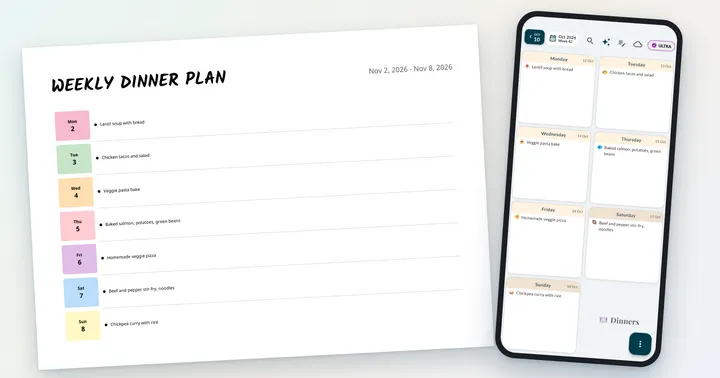
A coloured date tab and a long line for each day. Short tasks fit in one row, so the whole week reads top to bottom in seconds. More on this layout in our week at a glance guide.

| Week at a Glance | A4 | US Letter |
|---|---|---|
| Sample week | ||
| Nov–Dec 2026 | ||
| 2027 |
4. Bloom
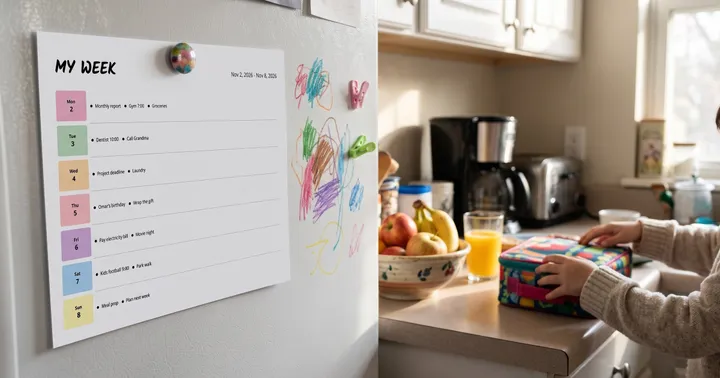
Bright leaves around the page and a colour per day. Fun on the fridge and easy for kids to read.

| Bloom | A4 | US Letter |
|---|---|---|
| Sample week | ||
| Nov–Dec 2026 | ||
| 2027 |
5. Pastel Wonder
Soft pastel boxes on a grid background with a bunny, a tulip and “Do it!” bubbles. A cute weekly planner for students and kids.

| Pastel Wonder | A4 | US Letter |
|---|---|---|
| Sample week | ||
| Nov–Dec 2026 | ||
| 2027 |
6. Elegant
A script title, a warm beige background and leaf sketches. Calm enough for a home office wall.

| Elegant | A4 | US Letter |
|---|---|---|
| Sample week | ||
| Nov–Dec 2026 | ||
| 2027 |
The colourful designs (Bloom, Pastel Wonder, Elegant) use more ink. Their 2027 files are about 1–2 MB; the plain designs stay around 100 KB or less.
Which weekly planner template should you choose?
| Design | Layout | Best for | Ink |
|---|---|---|---|
| Minimalist | 7 boxes + notes | Work weeks, lots of writing | Low |
| Vertical | 7 lined columns | Lists, times, time blocking | Low |
| Week at a Glance | 7 rows | Short tasks, quick reading | Low |
| Bloom | 7 colourful boxes + notes | Family fridge, kids | High |
| Pastel Wonder | 7 pastel boxes + notes | Students, cute planners | Medium |
| Elegant | 7 boxes + notes, script title | Home office, calm look | Medium |
If you can’t decide, print the one-week sample of two designs and use each for a week.
Hourly weekly planner: using these pages for time slots
None of the six designs is an hour-by-hour grid with a row for every hour. If you plan by the hour, print the Vertical design, whose lined columns keep a time and a task on one line, and write the time first (“9:00 call”, “13:30 gym”). For longer stretches of focused work, the time blocking guide shows how to give each block a start and an end. In the Weeklo app, a task can carry real start and end times, which show on the right of the task in the week view.
Weekly calendar template: week on one page
A weekly calendar template shows seven days side by side on one page, and every design here does that, starting on Monday and dated for you. For the bigger picture, the Weeklo app has a monthly overview that shows the month as a grid, so you can plan the month first and then print the weeks you need. The Week at a Glance design stacks the days as rows, which reads like a short agenda.
How to print your weekly planner pages
- Download the file that matches your paper: A4 for most countries, US Letter for the US and Canada.
- In the print dialog, choose landscape and set the scale to 100% / Actual size.
- For the 2027 file, print only the weeks you need next (for example pages 1–4 for January) instead of all 53 at once.
- Double-sided printing works: flip on the long edge so both weeks read the same way up.
- Punch the pages for a binder, clip the current week to a clipboard, or put it on the fridge with a magnet.
How to use a printable weekly planner
The quickest routine takes 15 minutes once a week:
- Write fixed appointments with their times.
- Choose three priorities and give each a day.
- Spread errands and chores so no day has more than five items.
- Leave space on every day for the things you can’t predict.
- Look at the page each morning and move unfinished tasks forward.
Our guide on how to plan your week walks through each step with examples. If paper planners have never stuck for you, the ADHD planning guide covers lighter systems, and the visual planner guide shows how colours and icons make a week faster to read. For the chores in step 3, our weekly cleaning schedule has a ready-made plan with one zone per day and its own free printable.
Print the week you planned in the app
Writing every task by hand each week gets old, especially the ones that repeat. In the Weeklo app you plan the week on your phone or computer (drag tasks between days, set recurring tasks), then export it as a PDF in any of these six templates and print it. PDF export is part of Weeklo PRO and produces A4 pages in landscape or portrait.

Frequently asked questions
Is there an hourly weekly planner in this set?
Not as hour-by-hour rows. All six designs are weekly grids with one area per day. The Vertical design, with lined columns, works best for times: write the time at the start of each line, or use it for time blocks. See the time blocking guide for a method.
What is the difference between a weekly calendar and a weekly planner?
A weekly calendar mostly shows when things happen. A weekly planner also holds the things you want to get done that week. These pages are Monday-first week views with room for both, so you can write appointments and tasks on the same page.
Is this printable weekly planner really free?
Yes. Every PDF on this page downloads directly, with no email, account or watermark. They are free for personal use, so print as many pages as you need for yourself, your family or your classroom.
What size is the printable weekly planner?
Each design comes in A4 (297 × 210 mm) and US Letter (11 × 8.5 in), both landscape. The Weeklo app exports A4 only; we made the US Letter files ourselves with the same templates.
Are the weekly planner pages dated?
Yes. The files are dated so you never have to write the dates by hand: one set has 9 weeks starting Monday 2 November 2026 (it runs into the first days of January 2027), the other covers every week of 2027, starting Monday 28 December 2026. Each week runs Monday to Sunday. We do not offer undated pages; if you want one, the one-week sample works with the dates crossed out.
How do I print a weekly planner PDF at the right size?
Open the PDF, choose landscape, and set the scale to 100% or "Actual size". Use the A4 file on A4 paper and the Letter file on Letter paper, so the margins stay even.
Can I fill in the planner on my computer?
The PDFs are made for printing and are not fillable forms. If you want to type your week and then print it, plan it in the Weeklo app and export it as a PDF (a PRO feature).