 Weeklo
Week at a Glance: Free Template and How to Use It
Free week at a glance template PDFs for Nov–Dec 2026 and 2027 in A4 and US Letter, plus a 10-minute routine for filling in your week on one page.
Key takeaways
- A week at a glance template puts all seven days on one page, so busy and empty days are obvious before the week starts.
- Download it free below: A4 or US Letter, dated for Nov–Dec 2026 or all of 2027, no email needed.
- Fill it in 10 minutes: fixed appointments first, then 3 priorities, then errands, and leave white space.
- Keep it where you look every day: the fridge, your desk, or the first page of a binder.
In this article
A week at a glance template shows all seven days on one page, so you can see which days are full and which are free before the week begins. Download the free PDF below in A4 or US Letter, dated for the rest of 2026 or all of 2027, and fill it in using the 10-minute routine further down.
Free week at a glance template (PDF)
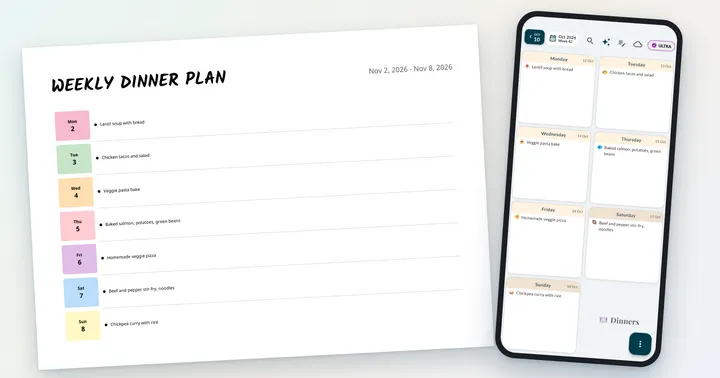
This is the “Week at a Glance” layout from the Weeklo app: one row per day, a coloured date tab on the left and plenty of room for tasks to the right. Each PDF has one page per week, Monday to Sunday, with the dates already printed.

| File | A4 | US Letter |
|---|---|---|
| One-week sample (2–8 Nov 2026) | Download PDF | Download PDF |
| Nov–Dec 2026 (9 weeks) | Download PDF | Download PDF |
| 2027 (53 weeks, 28 Dec 2026 – 2 Jan 2028) | Download PDF | Download PDF |
The files are free for personal use, with no email or sign-up. The Weeklo app exports its PDFs in A4; we made the US Letter versions with the same template so readers in the US and Canada can print without scaling.
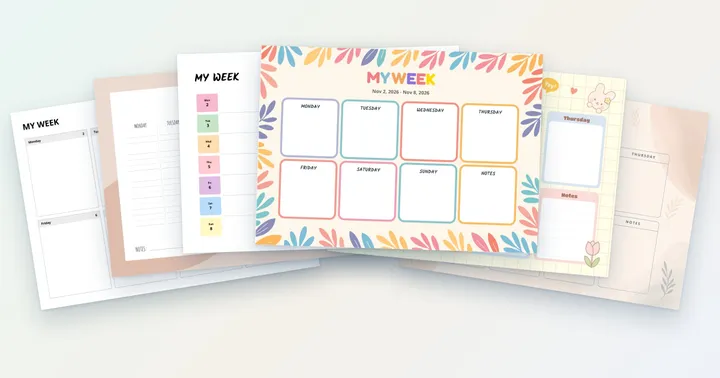
Want a different look? The printable weekly planner collection has the same dates in five more designs, from minimalist boxes to a floral layout.
What a week at a glance planner is for
Daily pages are good at detail and bad at the big picture. A monthly calendar has the opposite problem: you see the whole month but there is no room to write. A week at a glance sits in between. Seven days fit on one sheet, with enough space for three to five tasks per day.
That one view answers the questions a to-do list can’t:
- Which day is overloaded? If Wednesday has six lines and Thursday has one, move something.
- When is there room for the big task? Put it on the emptiest weekday.
- What is happening at the weekend? Family plans and errands sit right under the work week.
It suits people who plan once a week and glance at the plan every day: parents running a household, students with classes and assignments, anyone whose week has fixed appointments and a pile of flexible tasks.
How to fill in your week at a glance in 10 minutes
Do this once, on Sunday evening or Monday morning. Set a timer for 10 minutes so it stays quick.
- Fixed appointments first (2 min). Meetings, classes, the dentist, school pick-ups. Write the time at the start of the line: “Dentist 10:00”.
- Three priorities (2 min). Pick the three things that would make the week a success and give each one a day. Underline or highlight them.
- Errands and chores (3 min). Groceries, laundry, bills, calls. Spread them out so no day carries more than five items.
- Birthdays and reminders (1 min). Write “Wrap the gift” on the day before the party, too.
- Leave white space (2 min). Look down the page. If a day is full to the edge, move one item to a lighter day. Empty space is where the unexpected stuff lands.

For a longer version of this routine, with a weekly review and recurring tasks, see how to plan your week.
Week at a glance printable vs app
Paper is great for focus and for crossing things off. It is less great when a meeting moves and you have to rewrite three days. Many people use both: plan in an app, print the week, stick it on the fridge. If you are choosing a planner type for ADHD, our comparison of the best planners for ADHD adults covers paper, task apps and the visual week.
| Printable template | Weeklo app | |
|---|---|---|
| See the whole week on one page | ✓ | ✓ (week grid) |
| Move a task to another day | Cross out and rewrite | Drag & drop |
| Repeating tasks | Write them every week | Recurring tasks (PRO) |
| Reminders | – | Time & smart reminders (PRO) |
| Print your planned week | – | PDF export in A4 (PRO) |
| Cost | Free | Free to start; PRO for extras |

Ways to use your week at a glance page

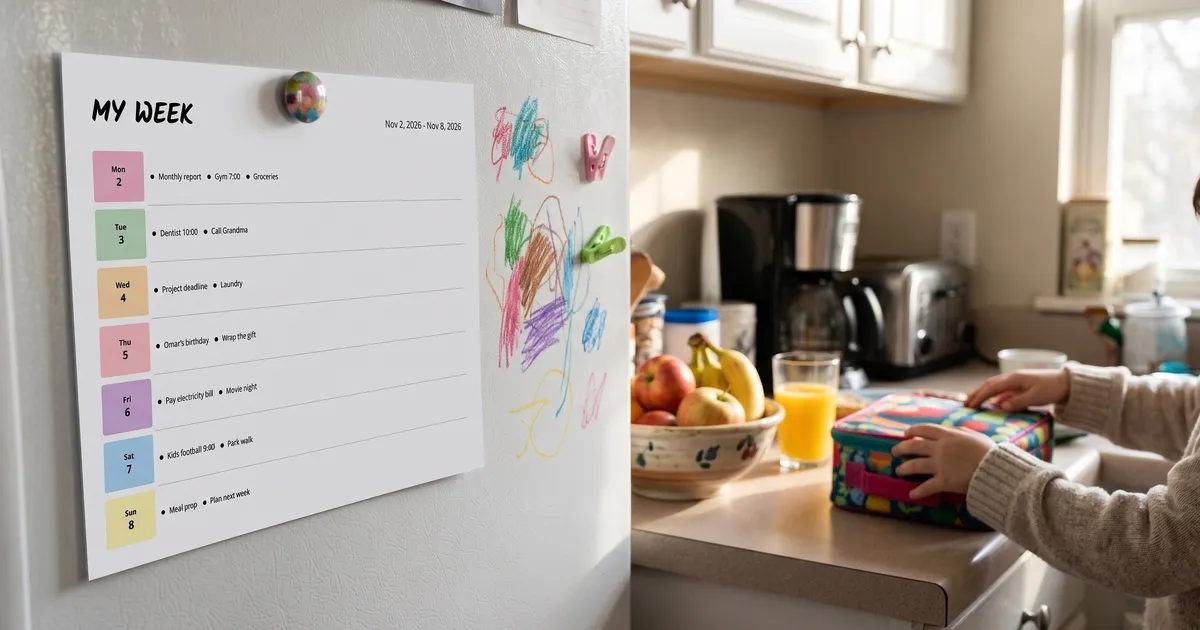
- Family fridge week. One sheet for the whole household: activities, appointments, who cooks which night. Everyone can read it while getting breakfast.
- Work week on the desk. Meetings with times, deep-work slots and deadlines. If you plan your work in blocks, the time block planning guide has a template made for that.
- Student week. Classes, assignments and exam dates in one place, with the weekend free for catching up. Revising for exams? The study schedule for exams guide shows worked study weeks you can copy onto this page.
- Meal week. Write a dinner on each row and the shopping list in the margin, or print our weekly meal plan printable, which pairs this layout with a matching grocery list. A visual planner with an emoji per meal is even quicker to scan.
Printing tips
- Print at 100% / Actual size so nothing gets cropped.
- Choose landscape orientation.
- Pick the file that matches your paper: A4 in most of the world, US Letter in the US and Canada.
- Regular 80–90 gsm paper is fine. Slightly heavier paper survives a week on the fridge better.
- For reuse, slide the blank page into a clear sheet protector and write with a dry-erase marker.
If you print the 2027 file, punch the pages and keep them in a binder, so next week is always one page away.
Frequently asked questions
What is a week at a glance?
A week at a glance is a planner layout that shows Monday to Sunday on a single page or screen. Instead of flipping between daily pages, you see the whole week at once, which makes it easy to spot overloaded days and move things around.
How do you use a week at a glance planner?
Fill it in once a week, before the week starts. Add fixed appointments first, then your three most important tasks, then errands and chores. Check it every morning and move anything that did not get done to a lighter day.
Is this week at a glance template free?
Yes. The PDFs on this page are free for personal use and download directly, with no email or sign-up. Print as many copies as you like.
Does the week start on Monday or Sunday?
Our week at a glance PDFs start on Monday and end on Sunday, so the weekend sits together at the bottom of the page.
Can I print a week at a glance in A4 and US Letter?
Yes. Every file comes in both A4 and US Letter, landscape. The Weeklo app itself exports A4 PDFs; the US Letter versions on this page were made by us with the same app template.